Best Midjourney Alternatives for Product Images (2026)
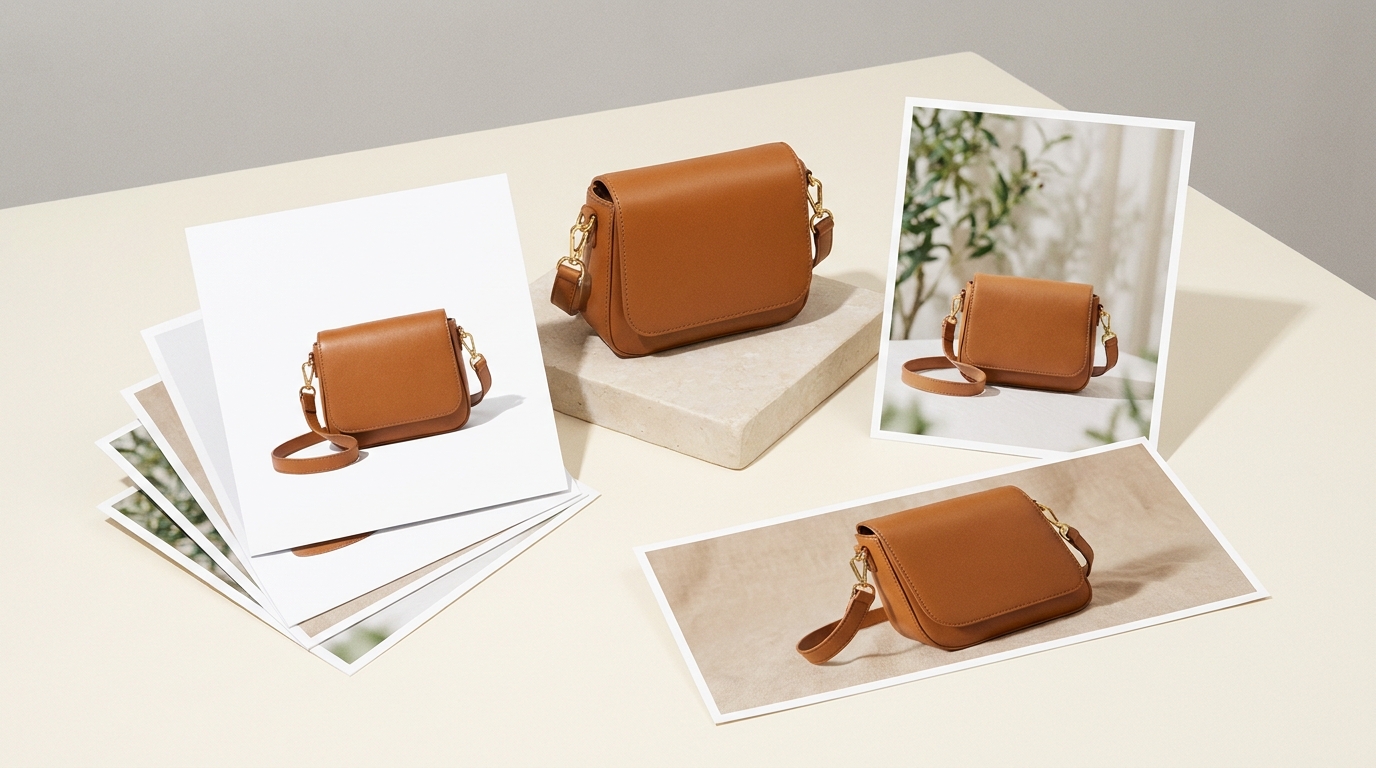
Last year I put about 200 generations through one month of Midjourney's Basic plan, all of it aimed at listing photos for my girlfriend's dresses. They looked great; not one of them was her dress exactly. A collar that differed, a button too many, a print she never sells. Most sellers hunting a Midjourney alternative land in one of three cases. For the odd one-off image, ChatGPT and Gemini both have free tiers that will do. Need the image to become an ad graphic or a social post? Canva AI is the shortcut. One SKU that needs a white main image, lifestyle shots, a detail page and ad videos? You want a tool made for ecommerce, and LubanAI is one of that class: an AI toolkit we built for online sellers and creators.
Midjourney plans and terms for commercial use
Midjourney is the yardstick most people measure AI image generation by, and a handful of details matter before you aim it at product photos. There is no free plan. The cheapest tier, Basic, costs $10/mo, or $8/mo if you pay for a year, and buys about 200 generations monthly at 4 images apiece. Standard runs $30/mo; from that tier up, Relax mode for images is unlimited. Pro at $60/mo and Mega at $120/mo sit above that. The terms carry one clause worth noting: any company earning over $1,000,000 a year must be on Pro or Mega.
Uploaded images can be edited, since an Editor ships with the service. Ecommerce features, however, appear nowhere on the plans page.
What product images need that artwork doesn't
Product images carry one non-negotiable requirement: whatever sits in the frame must match what the customer unboxes. Get the bottle shape slightly wrong, miss a letter in the logo, or let the packaging text in the picture disagree with the actual item, and any one of those can send the order back or earn a bad review. Left to itself, text-to-image produces a picture that only "looks like your product". So the first question to settle is whether a tool lets your own photos serve as the input, for editing as much as for generation.
Next come sizes and platform rules. Amazon insists on pure white for main images, and every social post or ad placement wants a ratio of its own. How much white-background work and cropping ends up on your desk afterwards depends on whether the tool exposes those settings at all.
What happens after the image lands matters too. A listing is really a bundle: a white main image, a few lifestyle shots, a tall graphic for the detail page, plus video in several ratios once ads enter the picture. Short video clips do come out of some generators. But ad videos that need voiceover plus captions, and tall detail-page images, tend to force a change of tool, or hand cropping.
8 Midjourney alternative tools compared
1. ChatGPT (GPT Image)
ChatGPT suits people already using it who want an image occasionally, or want one adjusted. The chat is the whole interface: describe the picture, wait for it, then ask for changes, with no parameters to memorize. Free is labeled "Limited image creation"; Go gets "More image creation"; Plus gets "More complex and accurate image creation"; Pro gets "Unlimited and faster image creation". Free does exist, though no image count is published for it. What each tier costs monthly sits on the official site.
ChatGPT's pricing page says nothing about product photography. Sizes are chosen through an aspect ratio picker or typed into the prompt, and every image comes out singly. When a single SKU needs four things (a shot on white, a lifestyle scene, a vertical, a horizontal), the chat needs four separate requests.
2. Google Gemini (Nano Banana)
Google Gemini suits someone who has genuine product photos sitting on a drive, a Google login, and a wish to swap a background or drop the product into a new scene. Nano Banana is the model doing the work; the subscriptions page files it under "Image generation and editing". Generation and editing both ship with the free plan, which costs $0 and asks for nothing beyond a Google account; how many generations it allows is not published. Google AI Plus, the cheapest paid tier, costs $4.99/mo and is labeled "More access to Nano Banana in Search". AI Pro costs $19.99/mo.
Weighing Nano Banana against Midjourney, the first difference is what it costs to start. Both can edit an image you upload. Midjourney charges a subscription before you touch anything, while Gemini opens with a Google account and nothing to pay.
Ecommerce features are never mentioned on the subscriptions page. One more thing worth knowing: Nano Banana itself is not exclusive to Gemini. The Nano Banana models also show up inside Adobe Firefly's free plan, inside Raphael AI and inside LubanAI. What separates these tools is how they handle platform rules and image sizes, and whether a job carries through to video and detail pages.
3. Adobe Firefly
Adobe Firefly fits anyone whose day already happens inside Adobe software. It also fits if you want models from several companies under one subscription: beyond Adobe's own, partner ones from Google and OpenAI are included. The plans page also lists Photoshop for mobile and web, plus Adobe Express Premium, so retouching and laying out can both stay inside Adobe's tools.
Firefly's free allowance comes back daily and covers image, video and audio generation, with Nano Banana among the models on offer. The plans page does not say how many generations that works out to. The paid tiers are Standard at $9.99/mo with 2,000 generative credits monthly, and Pro at $19.99/mo with 4,000.
Nothing on the plans page covers ecommerce. White backgrounds for main images, along with per-platform sizes, stay your job in Photoshop or Express.
4. Ideogram
Ideogram often gets picked when a promo image has to carry a slogan and a price. The pricing page never advertises text rendering; what it lists are credit allowances. Plus costs $20/mo, or $180 for a year (which works out to $15/mo), and brings 2,400 priority credits a month; Pro brings 7,500 for $60/mo, or $42/mo paid annually. There is also pay-as-you-go at 1 cent per credit. Since no free plan appears on that page, check the site itself for a free allowance.
Compare Ideogram with Midjourney and the shape of the offer is much the same. Midjourney's unlimited Relax mode begins at Standard, while Ideogram's unlimited slow credits begin at Plus. What really separates them is how you get in: Ideogram will sell you credits as you go, while Midjourney insists on Basic at the very least.
For product images, two details decide things. Private generation starts at Plus, so confirm your plan includes it before you render anything for a product that has not launched. Batch Generation is a Pro feature.
5. Leonardo AI
Leonardo AI bundles design assets, video and images into a single subscription, and its pricing page puts it as "Create across image, video, design, and motion", which appeals if you need footage as well as stills. The FREE tier is $0 and gives 150 Fast Tokens a day. The first paid tier is Essential, $12/mo for 8,500 Tokens a month, with up to 20% off if you pay for a year.
On that free tier you get the Auto model and nothing more, and everything you make is public, so an unlaunched product should stay away from it. Dedicated product image features get no mention on the pricing page.
6. Canva AI
Canva AI exists to carry a picture straight into an ad graphic or a social post. Type a prompt and a picture is returned; the tool also offers over 10 preset styles, size choices and the ability to feed in a reference image. The next step is where it wins: the result lands in a Canva template, picks up text and your Brand Kit, then exports. On the free plan there are 1.6M+ templates, and 3.6M+ on Pro; Create ads with AI sits alongside them.
The free plan costs US$0. Its AI carries the label "Limited access to Standard and Premium AI". Pro runs US$144/yr for a single person, with 10 times the AI allowance of the free plan; Business gives 20 times, at US$250/yr for each person. No monthly price is listed.
Since every image the generator makes is new, the item shown may drift away from the real thing. The safer route: put your own photos in as the template content, and let Canva take care of backgrounds and decoration. That is the job of Canva's AI background generator: feed it a product photo, describe the setting, and the product reappears on a fresh backdrop. One more option: AI Product Photos from Imgkits, a third-party app listed in the Canva app marketplace.
7. Raphael AI
Raphael AI puts one line on its homepage: "100% Free · No Login Required · Unlimited". The site says you need neither an account nor a card, and that Basic mode, once Fast Mode is switched off, puts no cap on free generations. The model list includes Nano Banana and GPT Image, among others. The tools cover Remove Background, Image Upscaler, Image Expand, Image Editor (swap a background or edit text within a picture) and AI Video. For a few quick pictures without signing up, it is the easy choice.
The site is just as plain about where the limits fall. For free users, "Unlimited" means Basic mode and nothing more. Buying a plan unlocks unlimited use of particular models: Pro starts with Seedream 3.5, and higher tiers add more. "Free images include a watermark", the pricing page adds. Personal, non-commercial use is the ceiling for free users; commercial work calls for a paid tier. Pro starts at $10/mo billed yearly, a figure that shows the 50% discount already applied, and brings 2,000 credits a month, watermark-free output, priority queueing and Batch processing.
Remember that Raphael's image tools are general-purpose. Neither a complete image set nor video generated off a product link shows up on the homepage, on the pricing page or on the editor page. Nor do ecommerce size templates or multi-step workflows. For quick one-offs, yes. A full set of assets for a listing, no.
8. LubanAI
LubanAI exists to take one image all the way to a complete listing package: ad videos, a detail page, and whatever ratios each platform asks for. It is organized around sellers who need a single SKU fully covered.
AI Product Photo Generator works two ways: upload 1 to 5 reference images plus a product description; alternatively paste the URL of a product page and let it fetch the photos. Models on offer reach GPT Image 2, Nano Banana 2.1 and Nano Banana Pro. Choose Amazon, Shopify, Etsy, Shopee, TikTok Shop or your own store as the target platform, and its main image rules then apply, with a recommended resolution shown. You can request as many as 3 ratios in one go, with 1 to 4 images each, so a single run covers all channels at 4K maximum; everything comes down as a single ZIP file.
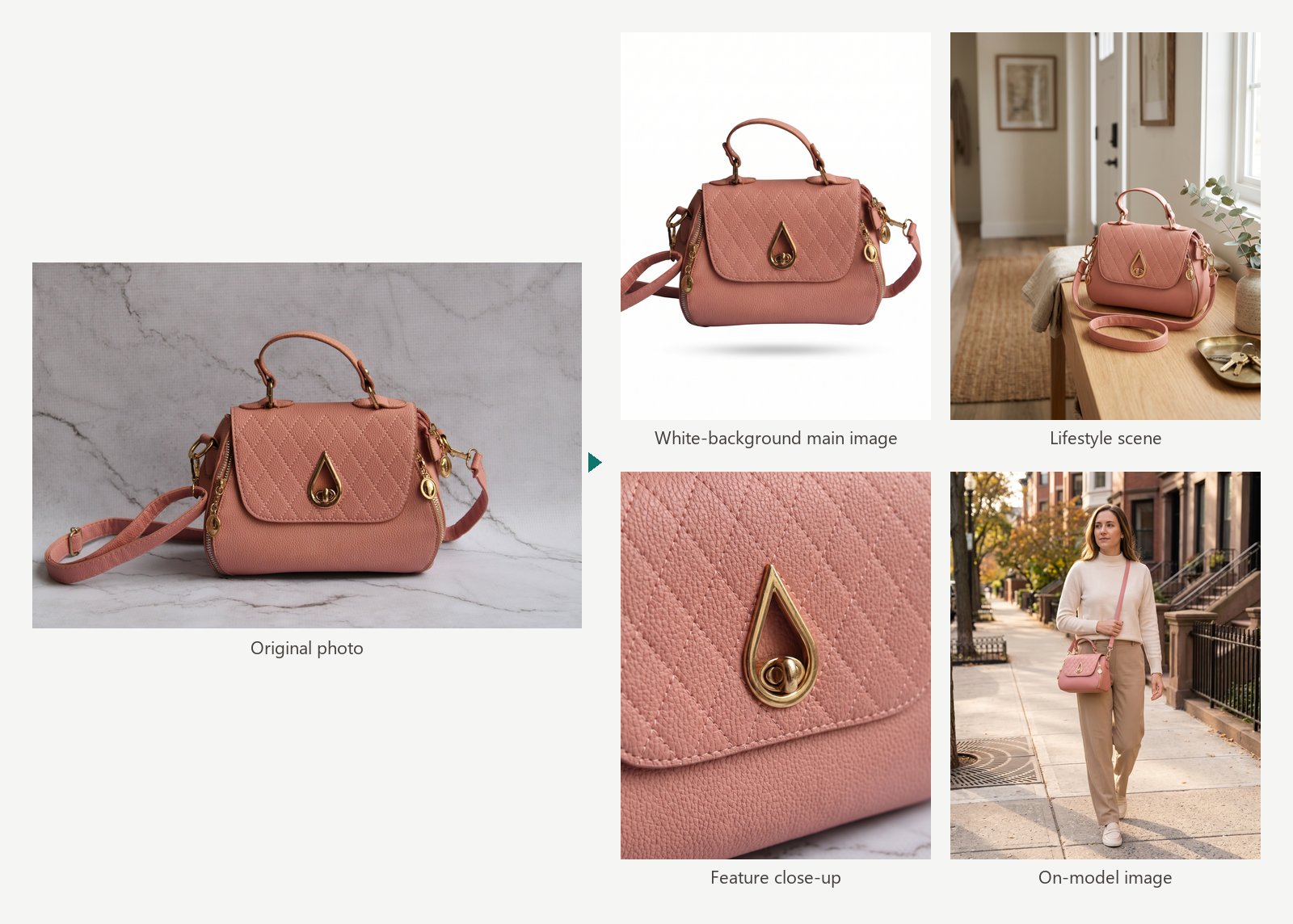
Video, posters and detail pages each get a multi-step workflow of their own. URL to Video takes the URL of a product page and returns a video ad carrying AI voiceover, captions and a call to action; one job hands back 9:16, 4:5 and 16:9 in one go. AI Product Detail Page takes 1 to 8 photos, decides the section layout, writes the copy, renders the visuals, then assembles one tall image, 750px across, to serve as the detail page. The headings and selling points in every section stay editable. AI Poster Generator makes promo posters where your wording is reproduced exactly as typed and the product photo serves as the subject. It also turns out extra formats sized for social feeds.
Sign in and the free tier gives you 10 credits a day. Credit packs start at $0.99 for 100 credits and never expire.
There is no need to max out resolution for product images. The Resolution setting suggests a value based on the platform you chose. 2K or below normally covers listing images; keep 4K for print or for heavy cropping.
Best AI image generator comparison: Midjourney and 8 alternatives
Where a cell says "See official site", the official page gives no specific number.
| Tool | Best for | Free tier | Starting price | Ecommerce features |
|---|---|---|---|---|
| Midjourney (for reference) | Stylized visuals | None | Basic $10/mo ($8/mo billed annually) | Not listed on plans page; has an Editor |
| ChatGPT (GPT Image) | Existing ChatGPT users, editing as you chat | Yes, limited use | See official site | Not listed on pricing page |
| Gemini (Nano Banana) | Editing real photos, starting at no cost | Yes, with a Google account | Google AI Plus $4.99/mo | Not listed on subscriptions page |
| Adobe Firefly | Adobe users, switching between models | Daily free generations, number not stated | Standard $9.99/mo | Not listed on plans page; includes Photoshop on the web and mobile |
| Ideogram | Promo images with text | See official site | Plus $20/mo ($15/mo billed annually); pay as you go at 1 cent/credit | Private generation from Plus; Batch Generation on Pro |
| Leonardo AI | Images, video and design in one place | 150 Fast Tokens a day; images are public | Essential $12/mo | Not listed on pricing page |
| Canva AI | Laying out social posts and ad graphics | Yes, limited AI allowance | Pro US$144/yr | Template library, Brand Kit, Create ads with AI |
| Raphael AI | Quick images without signing up | No limit in Basic mode; personal, non-commercial use only | Pro $10/mo (billed annually) | Image Editor can swap backgrounds; site doesn't mention full image sets or ecommerce size templates |
| LubanAI | A full listing-ready set for one SKU | 10 credits a day when signed in | Credit packs from $0.99 (100 credits, never expire) | Product photos to the specs of Amazon, Shopify, TikTok Shop, Etsy and other platforms, several aspect ratios at once; ad videos in three aspect ratios from a product page link; tall detail-page images; posters plus social media sizes |
In the market for a Leonardo AI alternative, or an Adobe Firefly alternative? The same table runs the comparison. Begin with the columns headed "Free tier" and "Ecommerce features".
Want a single Midjourney alternative that runs from the main image to the ad video? LubanAI keeps every step under one roof. Paste a product URL and the photos come in, several ratios generate in one run, the set downloads in one go. That link also produces an ad video in three ratios, and posters and detail pages are made in the same place, so the cycle of exporting, cropping and re-uploading between tools disappears.




