
AI Photo Editor: Remove People, Fix Lighting, Retouch Portraits

Upload a photo and choose what to fix. The composition, poses, and clothing stay as they are.

0 / 500
Select at least one edit or enter an additional request.
Settings
Output quality
Edits
Results kept 7 days · tied to this browser — Sign in to access them across devices
Loading tasks…
Updates paused · Retrying

Sample Results

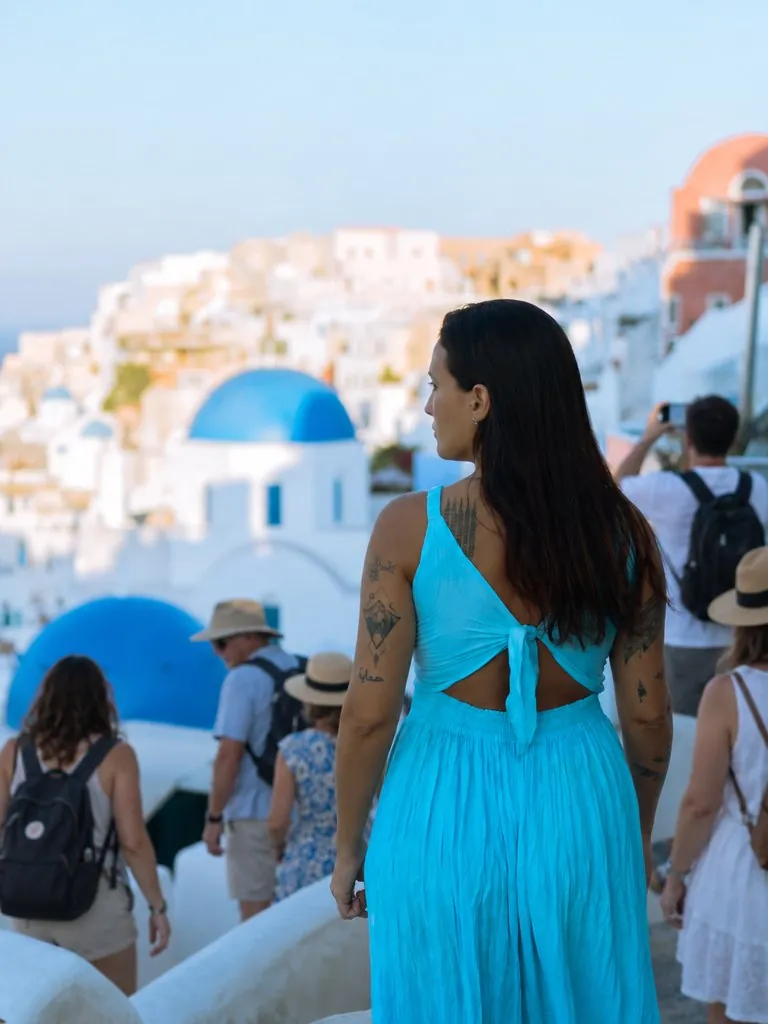
Crowd-Free Travel Photo - Before Crowd-Free Travel Photo - After Before After
Remove People
Crowd-Free Travel Photo

Removed passersby from the background

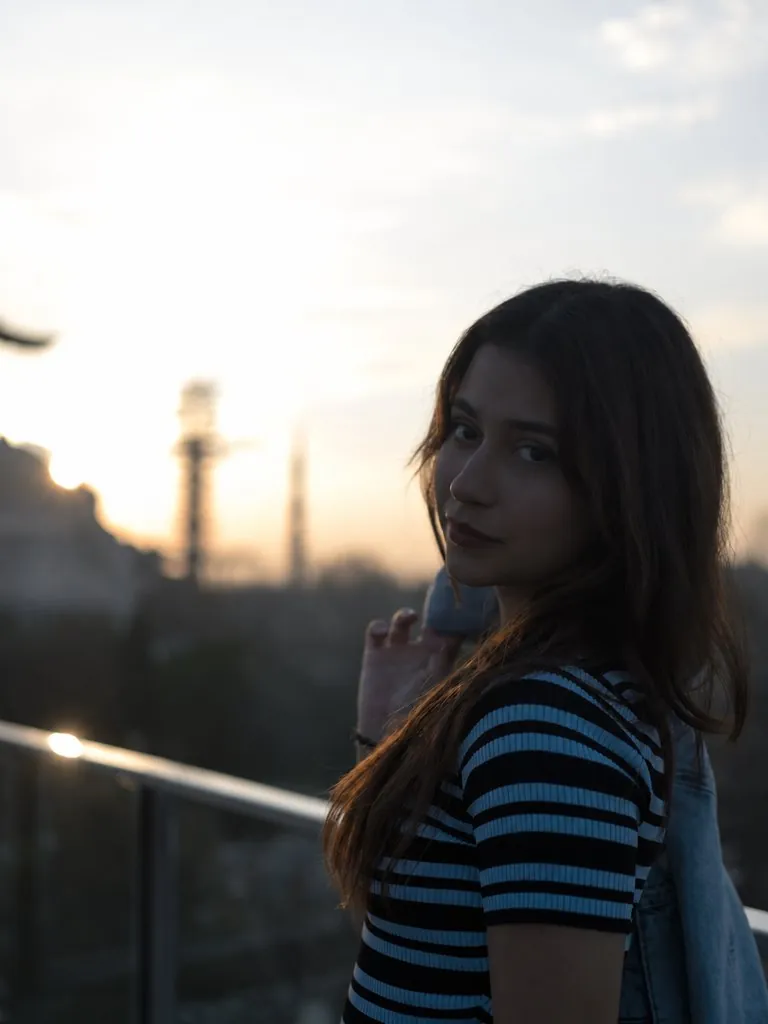
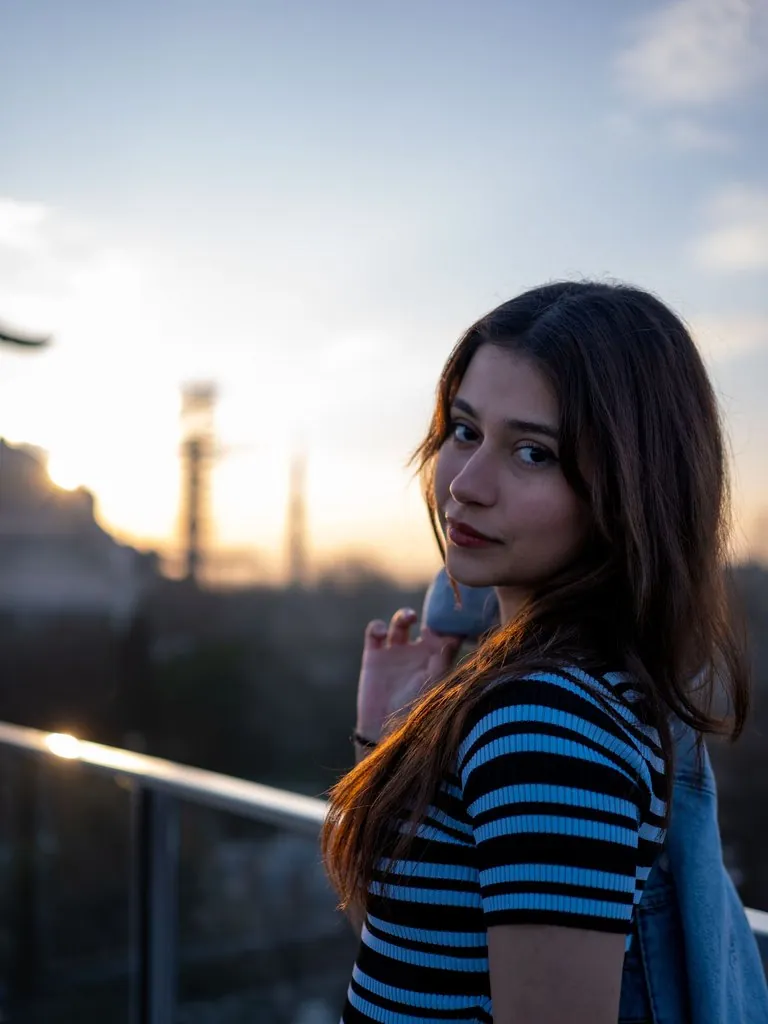
Backlit Sunset Relit - Before Backlit Sunset Relit - After Before After
Relight
Backlit Sunset Relit

Brightened backlit face, corrected color cast

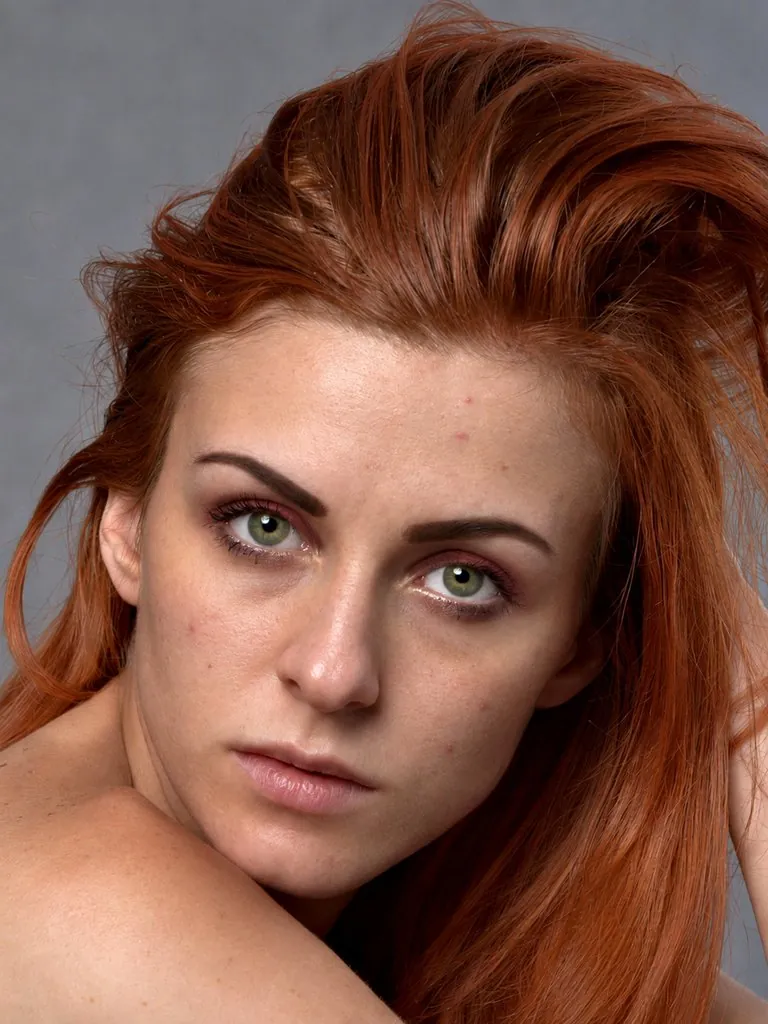
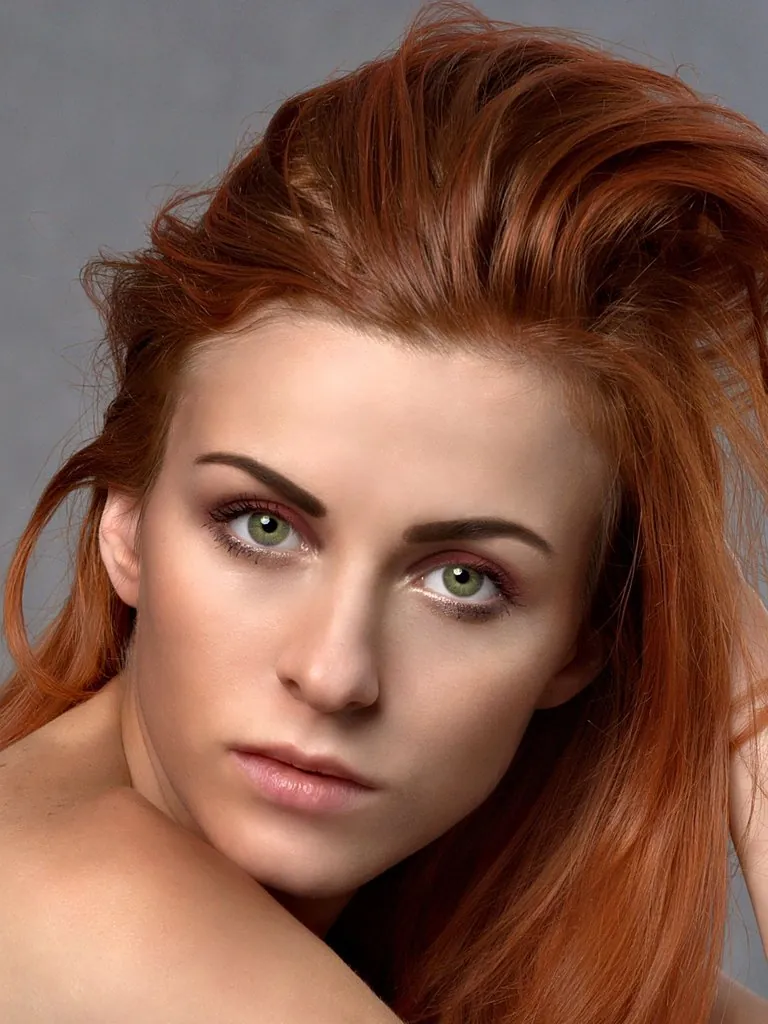
Natural Skin Retouch - Before Natural Skin Retouch - After Before After
Beauty
Natural Skin Retouch

Cleared blemishes, dark circles and shine

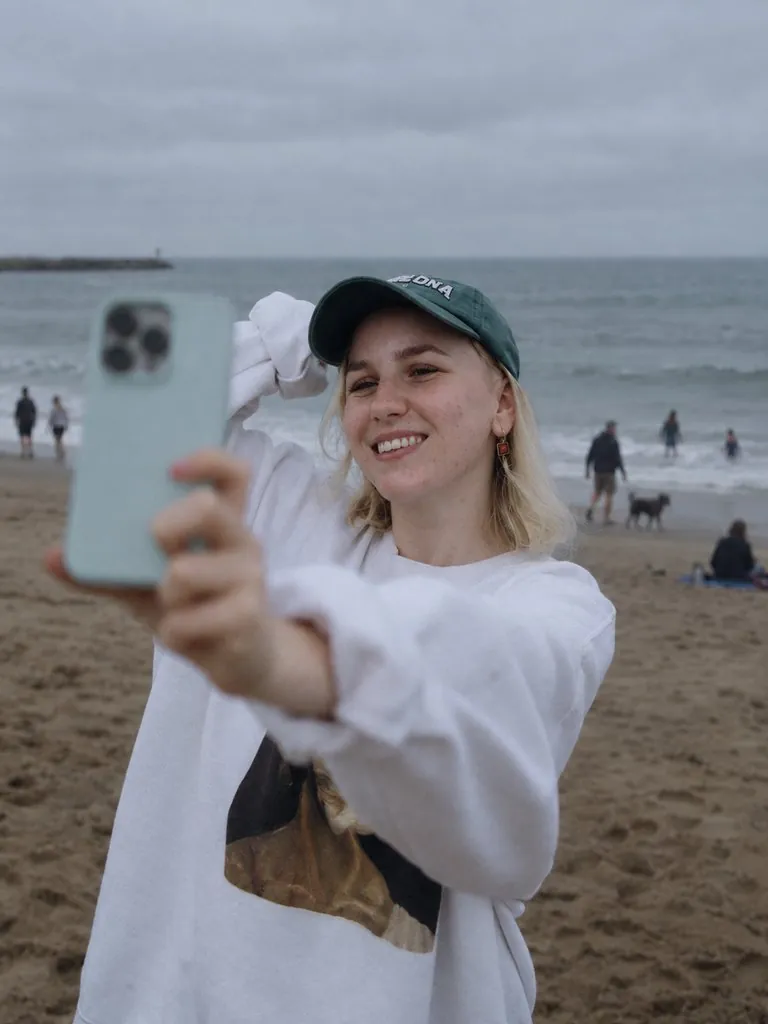
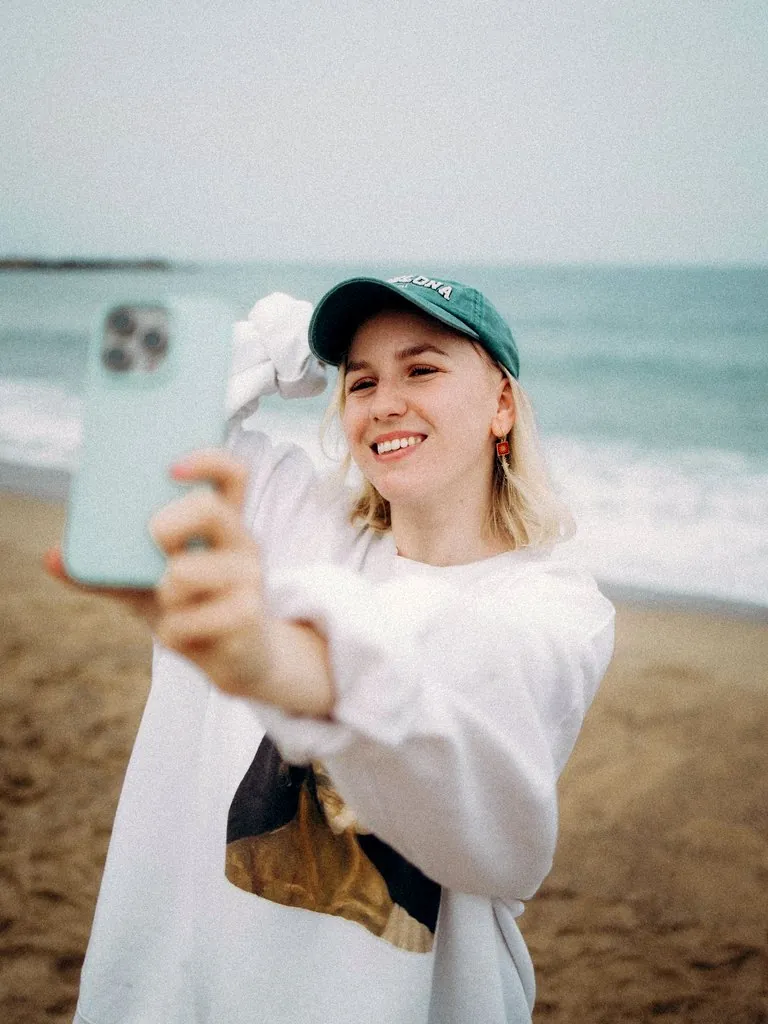
Beach Selfie Full Retouch - Before Beach Selfie Full Retouch - After Before After
All-in-One
Beach Selfie Full Retouch

Removed passersby, relit, retouched skin

How It Works

1
📤

Upload a photo

Upload a travel photo, portrait, or product photo in JPG, PNG, or WebP format.

2
✨

Choose the edits

Remove passers-by, fix lighting, and beauty retouch are selected by default. Deselect any you do not need, or describe a further edit in the additional request box.

3
📥

Download the result

The result appears in your task list when ready. Standard outputs a 1K image and HD outputs a 2K image.

Frequently Asked Questions

Only the edits you select. The composition, camera angle, poses, clothing, and products in the photo stay as they are, and each person remains recognizable. All selected edits are applied in a single run that outputs one photo.

The people the photo is clearly about are kept: anyone in sharp focus, posing, looking toward the camera or taking a selfie, and everyone posing together in a group photo. Anyone touching or holding them stays too. Everyone else is removed wherever they appear, including people in the distance, people walking away and blurry figures close to the camera or cut off at the edge, and the area behind them is filled in to match the scene.

It corrects exposure, white balance, color and sharpness to the standard of a professional photographer, without adding a filter or a stylized look. Dark or overexposed shots, color casts from indoor lighting and slightly soft photos all benefit. It works on portraits, travel photos and product shots alike, and any text, prints and logos in the photo are kept as they are.

It tidies hair and stray strands, shapes eyebrows, evens out skin tone, fades blemishes, acne marks, and dark circles, and improves lip color. It does not slim the face, reshape the body, or change facial proportions, so each person remains recognizable.

A short description of a further edit, for example turning the sky into a sunset. The counter on the text box shows the character limit. A photo can be submitted with only an additional request and no edits selected. Requests that conflict with keeping faces and composition unchanged may not be applied.

Retouching uses credits. Signed-in free accounts receive 10 free credits every day, which count toward a retouch together with credit pack credits. To retouch a few photos, the Starter pack gives you 100 credits for $0.99, and pack credits never expire. Subscriptions add a monthly credit allowance for regular editing.

7 credits for standard (1K) and 28 credits for HD (2K), however many edits are selected. The cost is shown on the button before you start, and credits are returned automatically if the run fails.

Yes, for photos you own or have permission to use. Retouched portraits must not be used to impersonate anyone. Results are kept for 30 days (7 days for free accounts) — download them before they expire. See our Terms of Service for details. No attribution is required on paid plans or credit packs; free-plan outputs require attribution to LubanAI.

Tasks are processed in the order they are submitted. Paid tasks from subscribers and credit pack buyers are picked up first. Free tasks may wait longer during peak hours.

We use cookies to improve your experience. See our Privacy Policy.