We Made 5 AI Ads for Ecommerce From One Product Photo
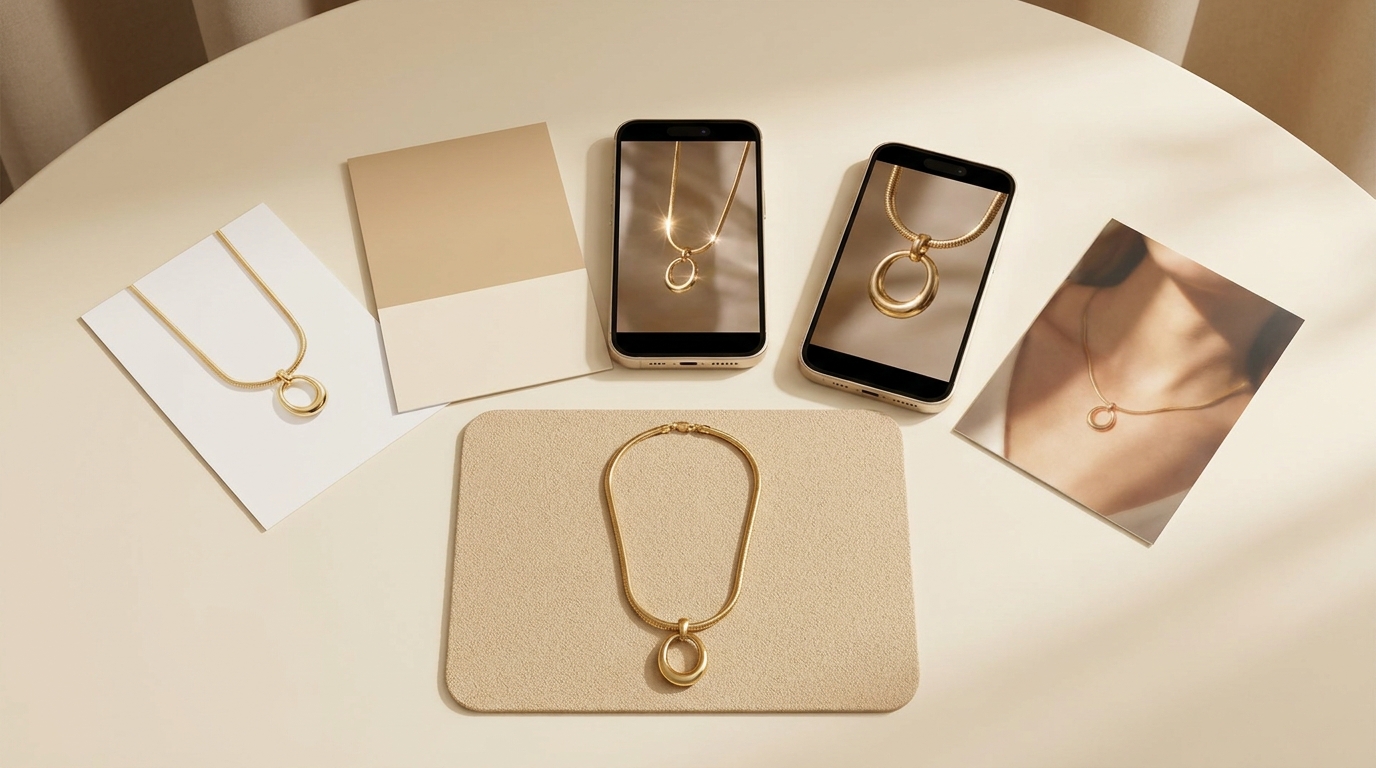
A new listing may begin with nothing more than a single product photo, while each platform and each promotion asks for its own asset: a sale poster carrying the discount, 4:5 vertical images for the Instagram and Facebook feeds, a main image on pure white for Amazon, and short vertical video for TikTok and Reels.
LubanAI is an AI toolkit built for people who sell online and for creators. With it, we turned a single necklace photo into the five assets that AI ads for ecommerce depend on most. The whole set cost 584 credits and took about 10 minutes.
Three separate hires used to cover that for a solopreneur: a designer, a photographer and someone who films UGC. A product photo to ad generator for solopreneurs replaces all three from a single upload, and every asset here traces back to the same photo.
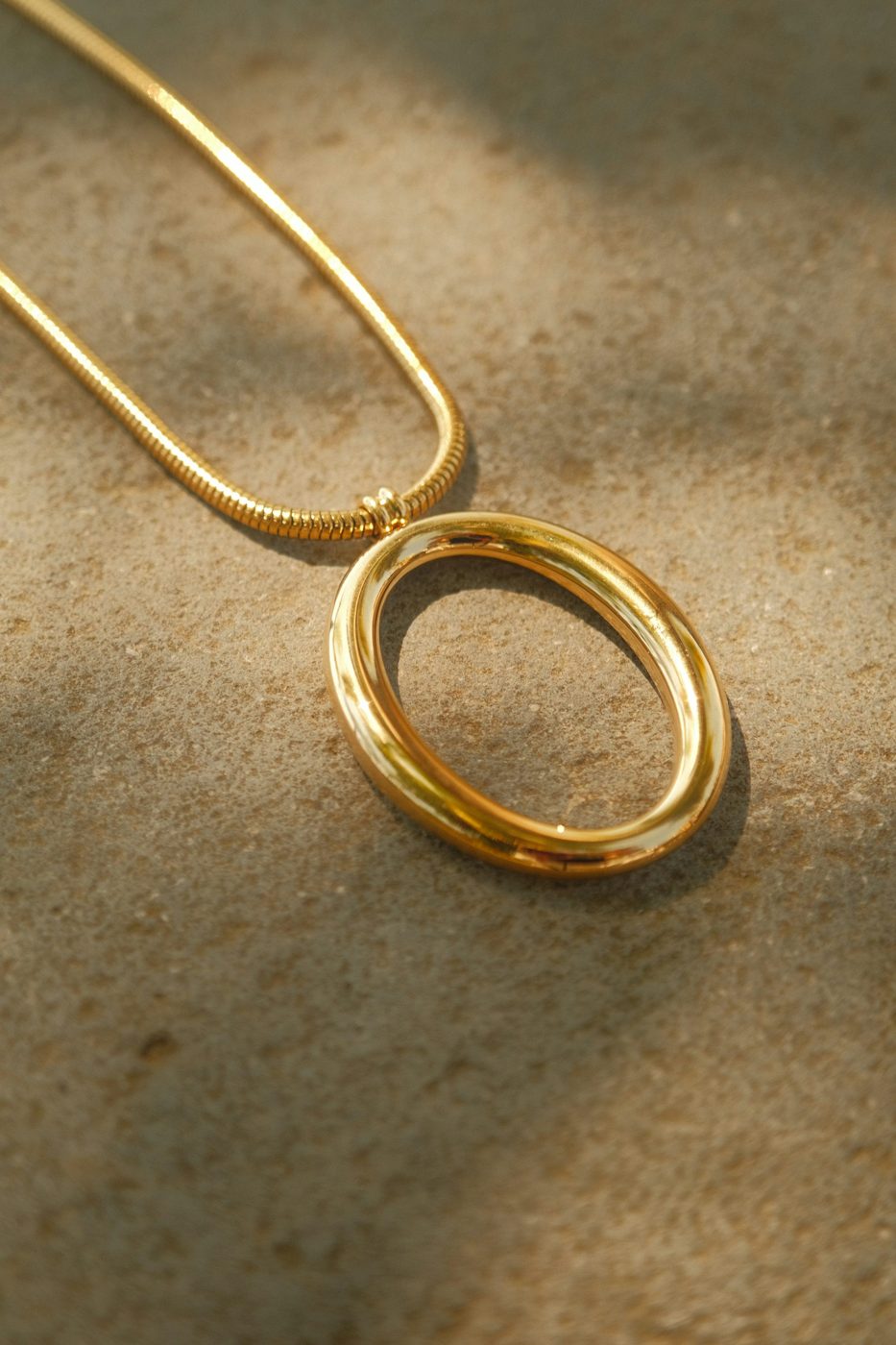
Unsplash supplied the test image, free to use: a gold snake chain, an oval ring pendant hanging from it, laid on a sand-textured surface. All tests ran on November 3, 2026, and every timing below counts from the moment Generate is clicked.
Each example of advertising a product appears in the table below, with the placement it mainly suits, which tool made it, how long it took and its cost in credits.
| Ad format | Main placements | Tool used | Time | Credits |
|---|---|---|---|---|
| White-background main image | Main image on Amazon and other marketplaces, shopping ads | Background Remover | 28 sec | Free |
| Lifestyle image (2K, 4:5) | Facebook / Instagram feeds | AI Product Photo Generator | 59 sec | 28 |
| Promo poster (2K, 3:4) | Feed and Stories image ads, Pinterest | AI Poster Generator | 79 sec | 26 |
| UGC video (15 sec, 9:16) | TikTok, Reels, Shorts | AI UGC Video Generator | About 4 min | 220 |
| Product video (15 sec, 9:16) | Product pages, short-video platforms | AI Product Video | About 3 min | 310 |
| Total | About 10 min | 584 |
1. White-background main image: the same image for listings and shopping ads
A shopper sees the main image on white first, in search results and again on the product page. Amazon insists on pure white behind it (RGB 255, 255, 255). Meta's Advantage+ catalog ads and Google Shopping draw their images out of your product catalog, so the listing's main image turns up in those ads as well.
Doing this by hand runs to at least four steps: lay white seamless paper, set two soft lights, take the shot, then cut the product out and clean its edges in Photoshop. Jewelry is where that last part bites. Someone has to trace the fine chain edge segment by segment, and cut the patch of background inside the oval ring separately.
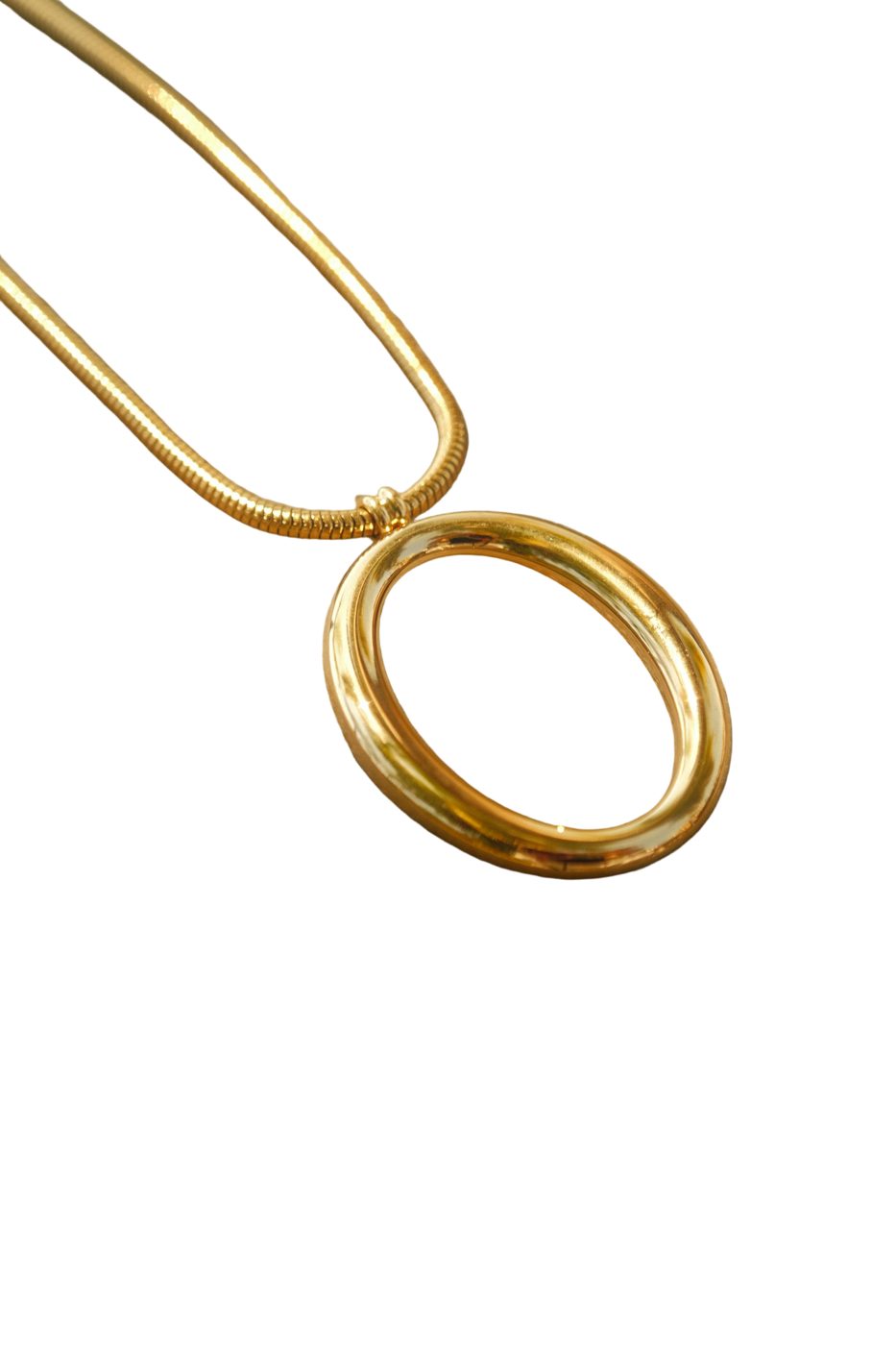
LubanAI's Background Remover handled this step. It costs nothing and needs no signup. Feed it the original and it returns a transparent PNG where the necklace is the only thing left; put that on pure white and you have the main image. Posters and product detail pages can draw on the same PNG afterward.
In our test it took 28 seconds. Against the white the edges stay clean, and each segment of the snake chain is easy to make out.
2. Lifestyle image: 4:5 vertical, with the necklace on the collarbone
Lifestyle images put the product in use. For jewelry, that normally means a shot on a model, and the eye goes to the wearer, the neckline and the light. Most of these images end up in Instagram and Facebook feeds, since a 4:5 vertical fills a phone screen more fully than a square does. Pinterest takes them as well; Amazon's secondary image slots do too.
Six steps make up the old route: book the model, find a top whose neckline works, locate window light or rent a studio, shoot, retouch the metal reflections and the skin, then choose the keepers. Before any of that, the model has to have an opening in the calendar.
The AI Product Photo Generator gets there in three steps. Uploading comes first: the product photo, plus a reference for model, pose or scene if you have one. The description comes second, covering who wears the item, what they have on, and where the light comes from. If the blank box stalls you, Write with AI can help. Last, choose an AI model and an output size, then generate 1 to 4 images per run. Ours was 2K at 4:5.
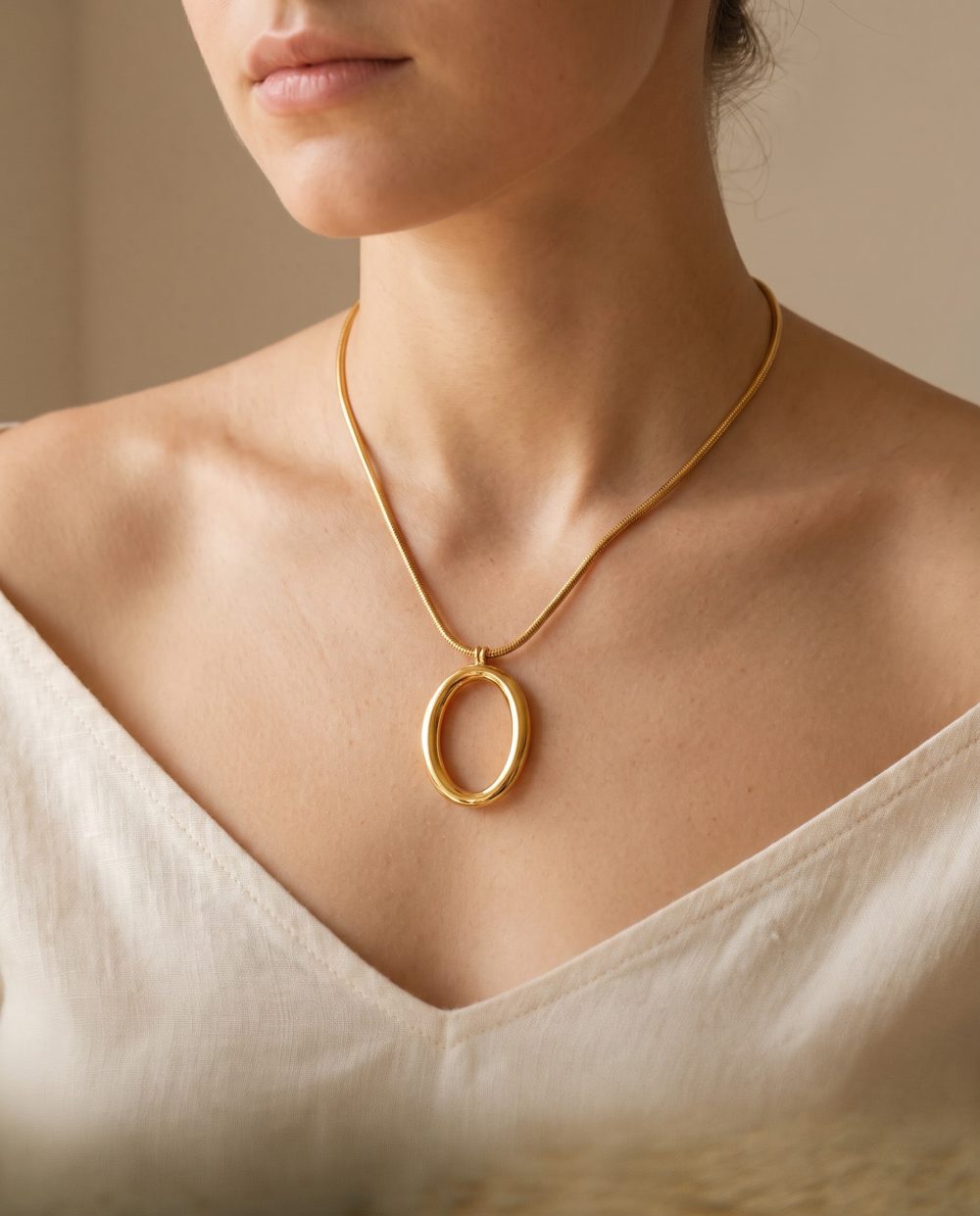
The generated image took 59 seconds and 28 credits. Lit by natural window light, the necklace rests against the collarbone above a cream linen V-neck, and the frame reads like an ad in a magazine. For jewelry worn on a model, the neckline carries most of the weight, and the collarbone stays clear in a V-neck.
3. Promo poster: four lines of copy, printed word for word
A promo poster counts as a static ad: one image with the offer printed straight onto it. It works for a new product ad, for a sale, for a holiday campaign. Most of them run in Instagram and Facebook Stories and feeds, and Pinterest takes them too. Promotional emails are another home for them.
By hand, it takes roughly five steps: cut the product out, open a blank canvas or grab a template, set the fonts and colors, write the copy and spell-check it, then export one file per placement.
The AI Poster Generator opens by asking what the poster is for, offering choices such as a promotion, a product launch or a holiday. Text is next. Only the headline is mandatory, while the subheadline and anything extra can be left blank. While the copy is still undecided, Write with AI can draft it from one sentence. As for the picture, the product photo can be the main subject. You also choose the visual style and the AI model (Nano Banana Pro or GPT Image 2). The default format is 3:4 portrait. Text you enter prints exactly as written.
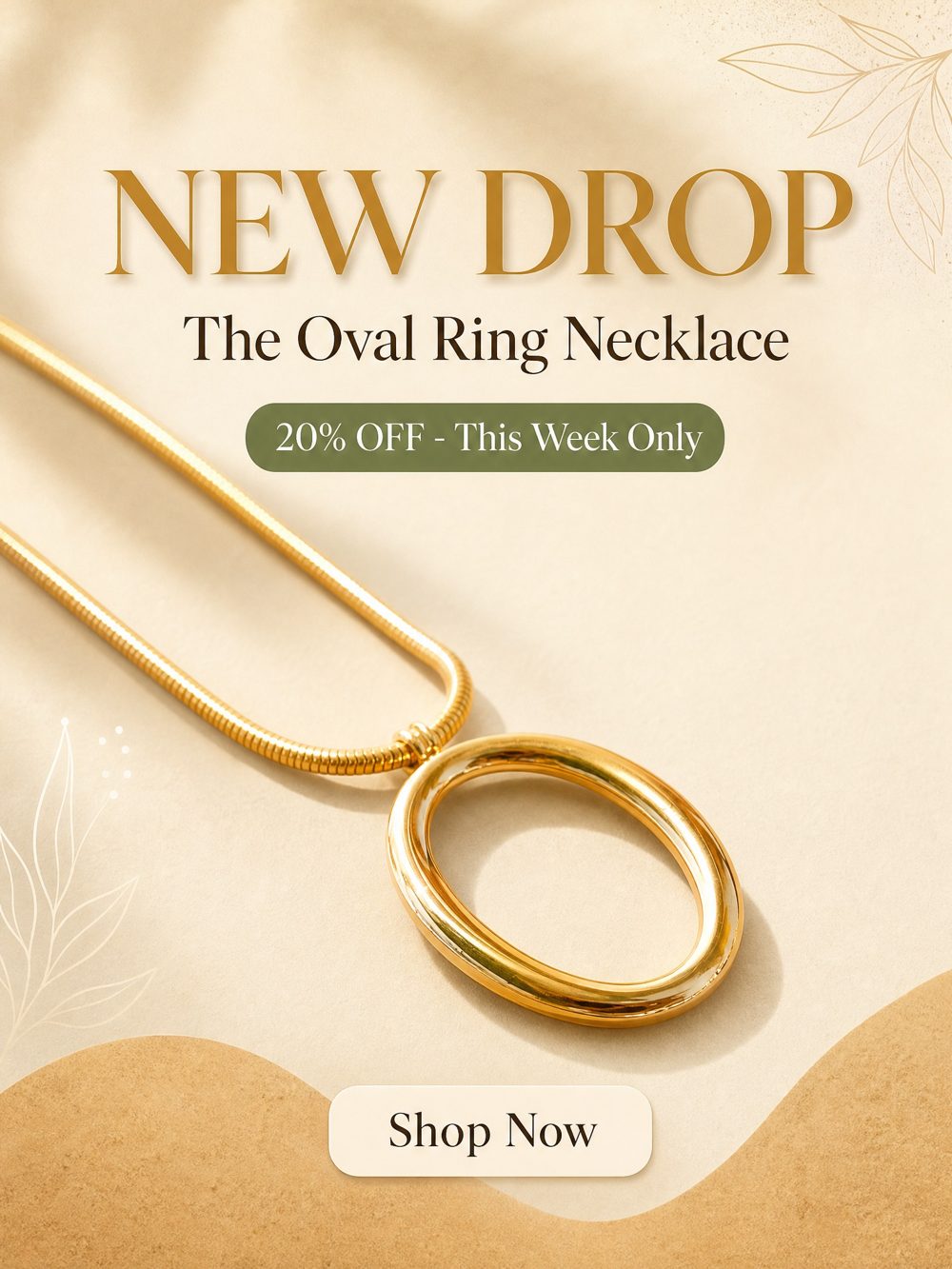
The run took 79 seconds and 26 credits (3:4, 2K). Every one of the four lines came out exactly as typed: "NEW DROP / The Oval Ring Necklace / 20% OFF - This Week Only / Shop Now". Sand and cream set the palette, and the whole thing feels like affordable luxury. Those four lines also cover what a promo poster has to do: flag the new arrival, name the product, state the discount and its deadline, and ask for the click.
4. UGC video: an AI presenter wears the necklace and talks for 15 seconds
UGC (user-generated content) video copies the recommendation clips ordinary people film themselves: one person, phone up, telling the camera about a product. The vertical talking-head shape is a common one on YouTube Shorts, TikTok and Instagram Reels.
By hand, it takes seven steps: locate a creator, settle the fee and the rights to use the ad, send a sample, draft the brief, wait on the shoot, watch the footage and request reshoots, then cut and caption. Sample shipping and the wait for a shoot day eat days by themselves.
The AI UGC Video Generator needs three steps, no more. Begin with the product shot and a handful of selling points. A presenter comes next: either an AI one, or an uploaded picture of a real person who has consented to appear. Then choose the tone and pick the voiceover language. Press generate, and the tool returns a 15-second 9:16 vertical. The task card already carries a written script; tweak it and regenerate whenever you want, but each new run is billed like a fresh video.
Ours came in at about 4 minutes and 220 credits. The presenter wears the necklace and talks to the camera. Here is the script it generated:
Look at this gold snake chain necklace with the smooth oval ring pendant. It is minimal and easy to layer with your daily outfits. This new drop is 20% off this week, so check it out.
The script runs to three sentences, 36 words in all. An oval ring pendant on a gold snake chain gets named first. How to wear it comes next (minimal, easy to layer with everyday outfits). The third sentence gives the offer and closes with a call to action. One line on the poster reads "20% OFF - This Week Only"; the script says "20% off this week". Run both in a single campaign and shoppers meet the offer worded the same way in both places.
5. Product video: the camera starts at the pendant and follows the chain
A product video makes the product its subject: camera movement and light pick out its details, and a voiceover runs on top. It slots into the video space on a product page, and TikTok, Reels and Shorts will take it too. Jewelry fits, and so does anything a buyer wants to inspect for craftsmanship.
Doing it yourself takes four steps. First, rig a macro lens with a slider or gimbal, plus lights that keep reflections on the metal under control. Then film the camera moves, and often that means several takes apiece. After that, edit and color grade. Last, write the script, record the voiceover and mix the sound.
AI Product Video wants one product photo and a handful of selling points, nothing more. The script grows out of those points and never steps past what you typed: no invented claims, figures, certifications or prices. Voiceover language and aspect ratio (9:16, 1:1, 16:9) are yours to set, and the narration gets mixed straight in. One continuous shot carries the whole clip, and the product holds the shape, color, details and proportions it had in the photo.
Ours came in at about 3 minutes and 310 credits. The output is 15 seconds of 9:16 vertical video: a macro move across the sand-textured surface, opening on the pendant, traveling down the chain, warm light on the metal.
The two videos do different jobs. The UGC clip has a person recommending, which suits a stranger in a feed who has not seen the product. The product video never leaves the object, so it belongs on the product page, for the shopper who already clicked and wants a closer look.
Clothing sellers: from flat lays and street shots to on-model photos
Clothing adds one more problem. Flat lays, hanger shots and the odd street photo are all many sellers have, yet ads and a product page's first image need a body in the clothes.
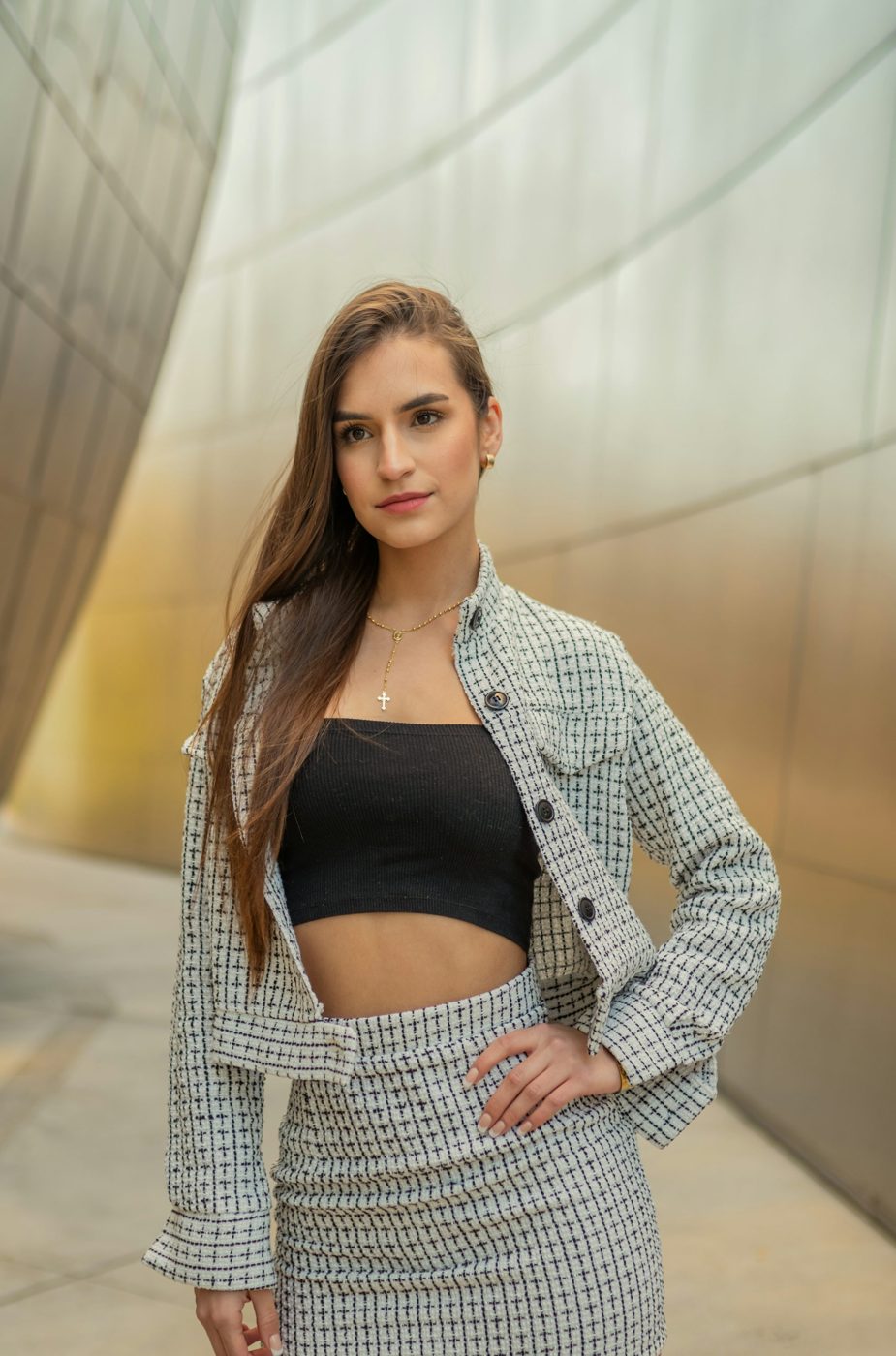
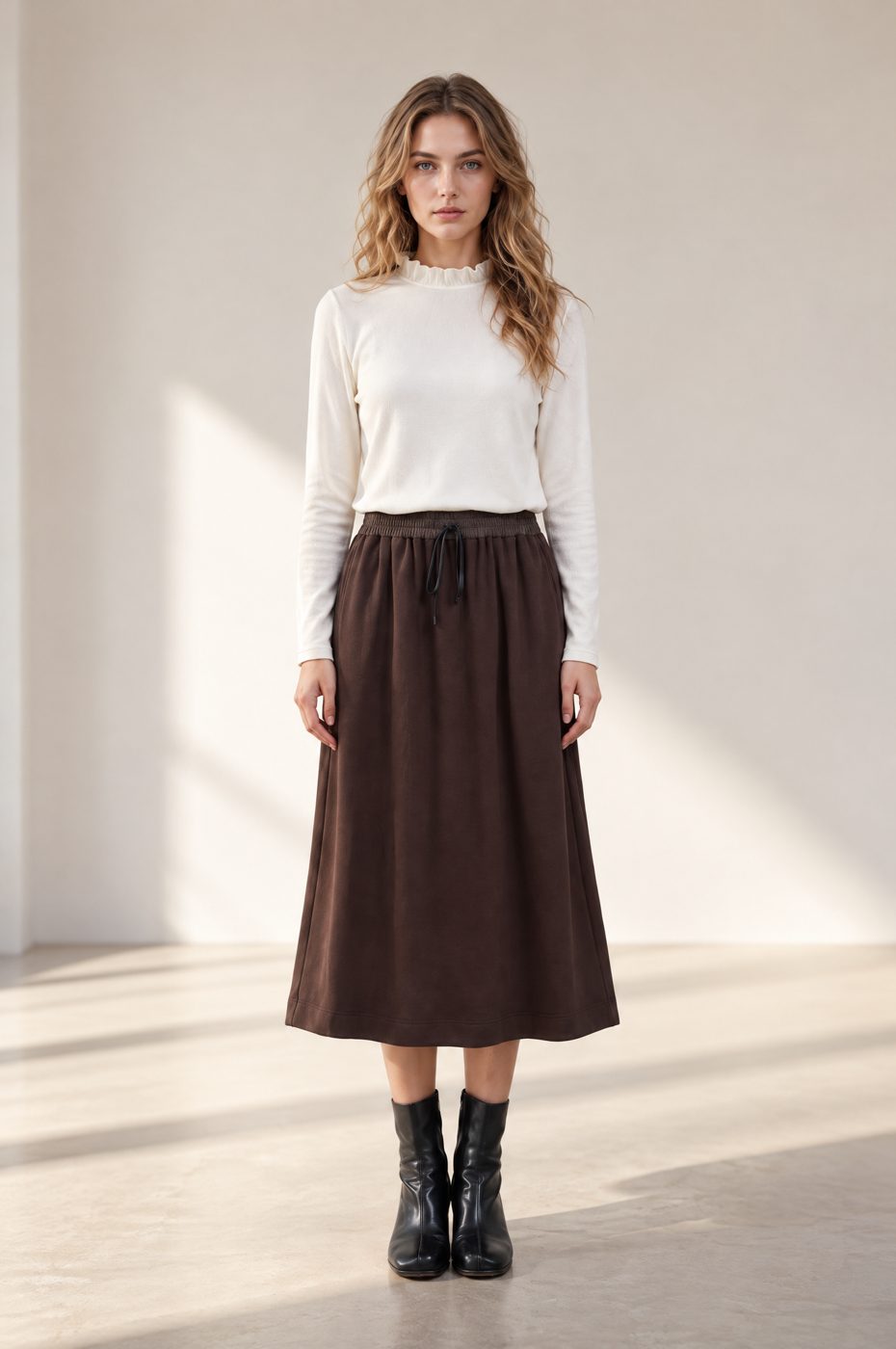
Test two swapped in another outfit, lifted from a street-style photo: a plaid tweed jacket, cropped and gray-and-white, with a matching above-the-knee skirt, and a black tube top underneath. AI Virtual Try-On dressed our own model in it. We uploaded a picture of a woman to act as the model rather than using a preset.
Try-on runs in three steps. First, upload 1 to 3 photos of the garment, either several views of one piece or every item in a set. Next, pick from the preset models, or supply a model photo of your own, then select up to 4 poses, such as front, seated, side or walking. Each pose returns one image of the same model. Standard costs 12 credits a pose, HD 28.
Our single HD pose cost 28 credits and took about 1 minute. Plaid pattern, jacket, skirt, tube top and button placement all survived, and the face and hairstyle come from the photo we uploaded.
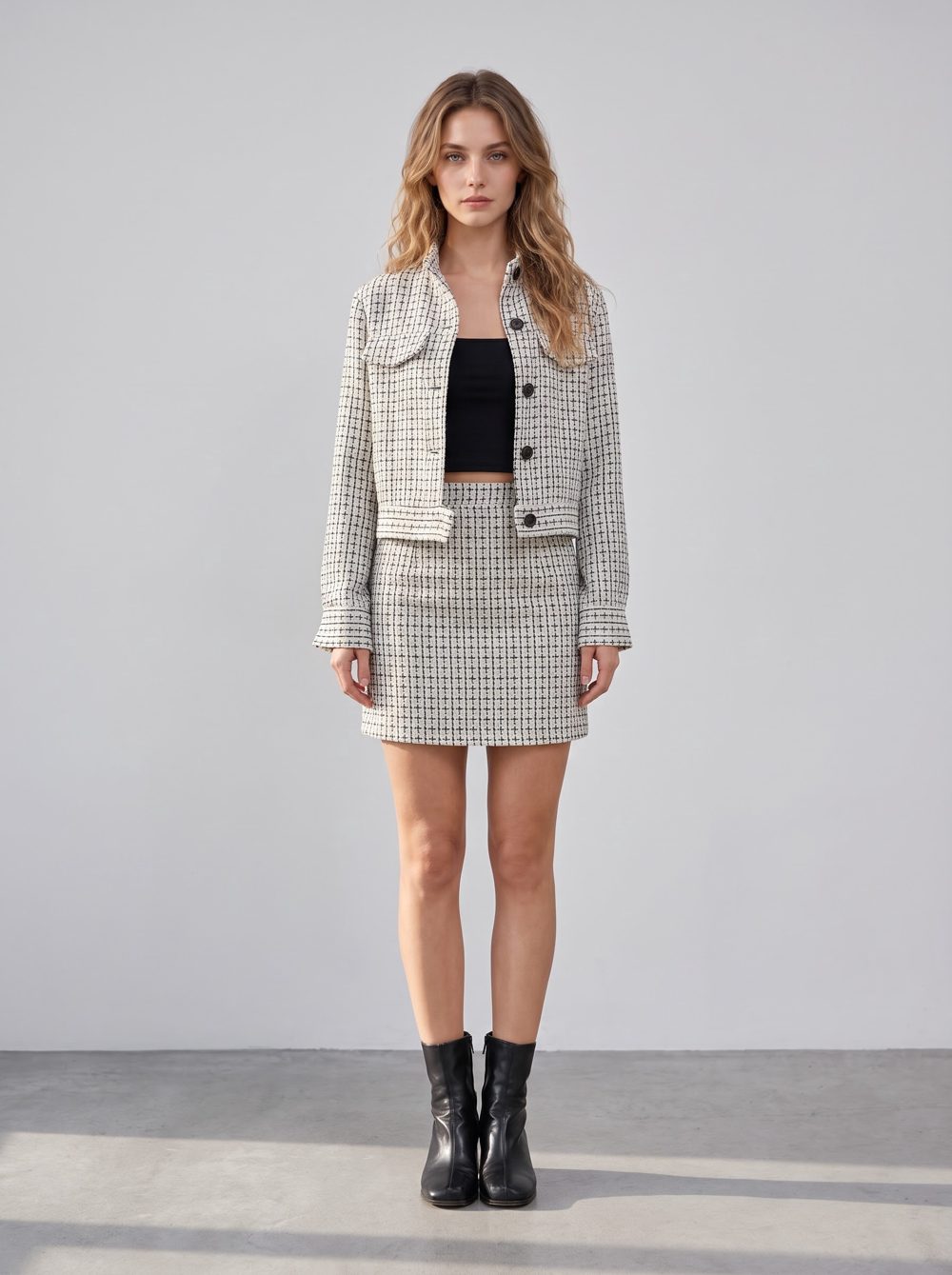
That on-model image can then serve as the product photo for the formats above. Run it through AI Product Video and that model keeps moving and posing in the clothes, staying in frame throughout.
Combining the five assets by platform
Not every placement wants all five. Pick by where the ad runs:
| Placement | Which assets to use |
|---|---|
| Product pages on Amazon and other marketplaces, and on your Shopify store | White-background main image as the first image, lifestyle image as a secondary image, product video in the video slot (1:1 or 16:9 available) |
| Google Shopping ads, Meta catalog ads | White-background main image, which reaches the ads through your product catalog |
| Facebook / Instagram feeds | 4:5 lifestyle image, plus a 4:5 version of the poster |
| Instagram Stories, Reels, TikTok, YouTube Shorts | 9:16 UGC video and product video, plus a 9:16 version of the poster |
| 4:5 lifestyle image, plus a 2:3 version of the poster |
Extra sizes can be ordered for a poster, such as Instagram Stories (9:16), Instagram feed (4:5), Facebook (1.91:1) or Pinterest (2:3), delivered together in one zip. Each additional size is billed as another poster.
Color holds three of the five assets together: sand and cream on the poster, the cream linen top in the lifestyle image, the original sand-textured surface behind the product video. Lined up side by side, they read as a single advertisement of a product rather than three separate shoots.
Which assets to make first on a tight budget
Start with the three images. The white-background one costs nothing; the lifestyle image and the poster cost 54 credits between them, and the three together ran under 3 minutes. They fill the main and secondary image slots on a product page, and cover the opening round of feed image ads.
Between them the two videos cost 530 credits, so you can start with whichever matches your main platform. When TikTok and Reels take most of the ad budget, the UGC video comes first at 220 credits. When product pages bring most of the traffic, the product video comes first at 310 credits; add the white-background main image plus the lifestyle shot and the product-page set is complete for 338 credits.
To see the same five formats tried on home goods, skincare or shoes, send the category through our contact page.




