Ali G Driving Scene AI Trend Generator
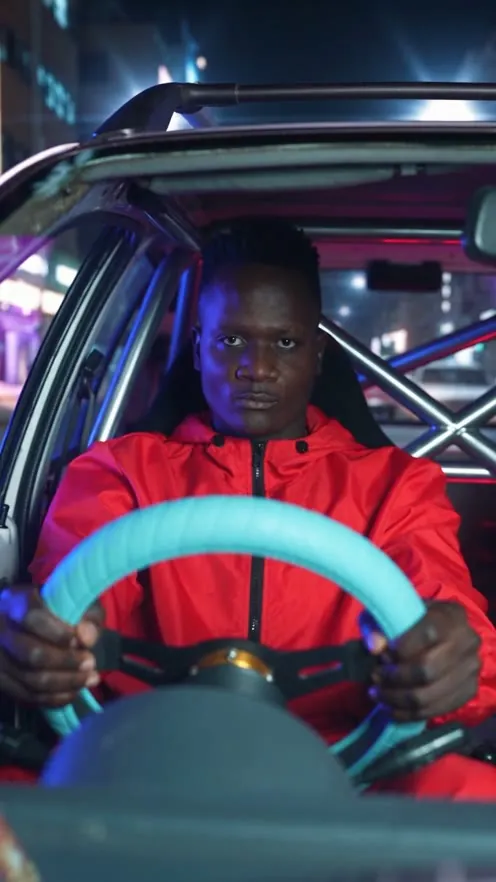
Upload one photo. You grip the light-blue steering wheel with a straight face, head-bang hard when the bass drops and point at the camera.
5-second video, 9:16, 720p.
Upload a clear front-facing photo
Best photos for the Ali G driving scene AI trend
Works well
- A solo, front-facing photo from the chest up, with the face filling a large part of the frame.
- Soft, even daylight on the face, with both eyes open and the eyebrows clearly visible.
- A calm or serious expression: the deadpan opening of the Ali G car scene works best when the photo is not a wide grin.
- A sharp, recent original photo rather than a screenshot or a compressed image from a chat app.
Avoid
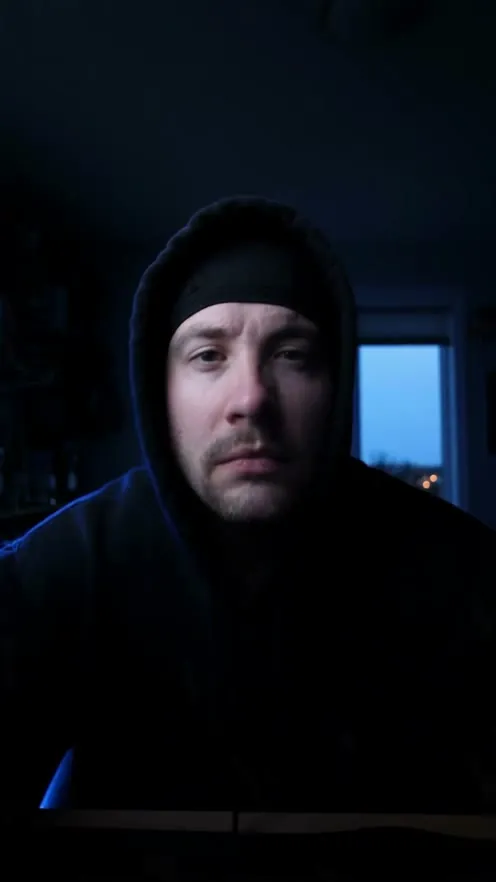
- Group shots, or photos where the face is small, turned to the side or in heavy shadow.
- Hats pulled low, masks, or a hand covering part of the face.
- Stills from the film, photos of celebrities, or photos of people who have not agreed to appear.
What is the Ali G driving scene AI trend?
The trend recreates the opening drive of the 2002 comedy Ali G Indahouse: a small old hatchback, a chunky light-blue steering wheel, a dead-serious face and then hard head-banging on the beat. In the AI version, the person behind the wheel is you.
The dashboard camera angle, the light-blue wheel, the straight face, the head-banging on the drop and the final point at the camera: every element is already built into this page.
Ali G driving scene meme timeline
- Mar 22, 2002
Ali G Indahouse premieres in UK cinemas; its drive at the pale-blue steering wheel becomes one of the best-known scenes of the film.
- Jul 22, 2026
Amazon MGM Studios announces the sequel Ali G: Who Iz I? for a cinema release in October 2026.
- Aug 25, 2026
A TikTok repost of the scene captioned "me omw to go pick up bro after getting my drivers license" turns the drive into a meme.
- Oct 18, 2026
TikTok creators begin posting AI versions that put their own face behind the blue wheel from a single photo.
- Oct 23, 2026
Ali G: Who Iz I? opens in UK cinemas, following a Los Angeles premiere on Oct 14.
How to make it in 3 steps
Upload your photo
Choose one clear, front-facing photo of yourself. Good light and a visible face give the closest likeness.
Click Generate video
The scene, camera move and style are already set for this trend. You only add the photo.
Download and post
Your 5-second 9:16 video at 720p is ready to post on TikTok, Instagram Reels and YouTube Shorts.
Ali G driving scene AI prompt
Copy this prompt into any AI video generator that accepts a reference photo.
Vertical 9:16 comedy clip, 5 to 10 seconds, photorealistic, filmed like a single take from a music video. Driver: the person from the uploaded photo, with the same face, hairstyle and skin tone in every frame. Outfit: a bright yellow tracksuit top and small tinted glasses (or keep the clothes from the photo). Car: a tiny, worn 1980s-style three-door hatchback with a stripped-out cabin and a bare metal roll cage behind the seats. The driver holds a small, round, thick padded steering wheel in pale blue with both hands. No badges, logos or text anywhere on the car. Camera: locked in front of the car, looking back at the driver through the windscreen, with the wipers resting at the bottom edge of the frame. The car rolls forward along a sunny suburban street of red-brick houses that slide past the side windows. Action, timed to a fast 1990s jungle or drum and bass beat: 1. Opening seconds: the driver stares straight ahead with a blank, completely serious face while the beat builds. 2. Bass drop: sudden hard head-banging on every beat, deep nods from the neck, shoulders bouncing, both hands still gripping the pale-blue wheel. 3. Final second: the driver stops, lifts one hand from the wheel, points at the lens and breaks into a smug, pleased grin. Keep the face sharp in the first and last moments. One driver only, natural hands with five fingers, no subtitles, no watermark.
FAQ
More AI trends

Ali G Indahouse and its character Ali G, created and played by Sacha Baron Cohen, appear here only to name the trend. LubanAI has no affiliation with the film, the people in it, or its studio, and the video uses your own photo, not the actor's likeness.




