మీ పిల్లి లేదా కుక్కకు Shaking Head ట్రెండ్ AI
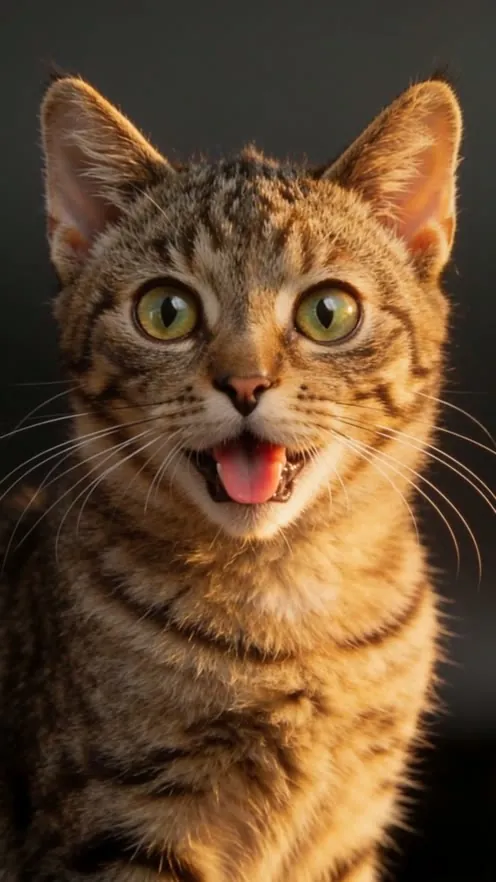
పెంపుడు జంతువు ఒక ఫోటో పొగరు తల ఊపుడుగా మారుతుంది: కళ్లు గట్టిగా మూసుకుని, నెమ్మదిగా ఎడమకుడి తల ఊపి, ఆపై ఒక్కసారిగా నాలుక బయటపెట్టి కళ్లు పెద్దవి చేసి చూస్తుంది.
5-సెకన్ల వీడియో, 9:16, 720p.
మీ పిల్లి లేదా కుక్క ఎదురుగా తీసిన స్పష్టమైన ఫోటో అప్లోడ్ చేయండి
Shaking Head ట్రెండ్కు మంచి ఫోటోలు
సరిపోయే ఫోటోలు
- కంటి ఎత్తులో తీసిన, కెమెరా వైపు చూస్తున్న ఒక్క పిల్లి లేదా కుక్క, రెండు కళ్లు తెరిచి ఉండాలి.
- పగటి వెలుతురు లేదా ప్రకాశవంతమైన గది, బొచ్చు రంగులు, గుర్తులు గుర్తుపట్టేలా.
- ముఖం స్పష్టంగా ఉన్న దగ్గరి లేదా మధ్యస్థ షాట్. వీడియో ముఖం క్లోజప్గా ఉంటుంది.
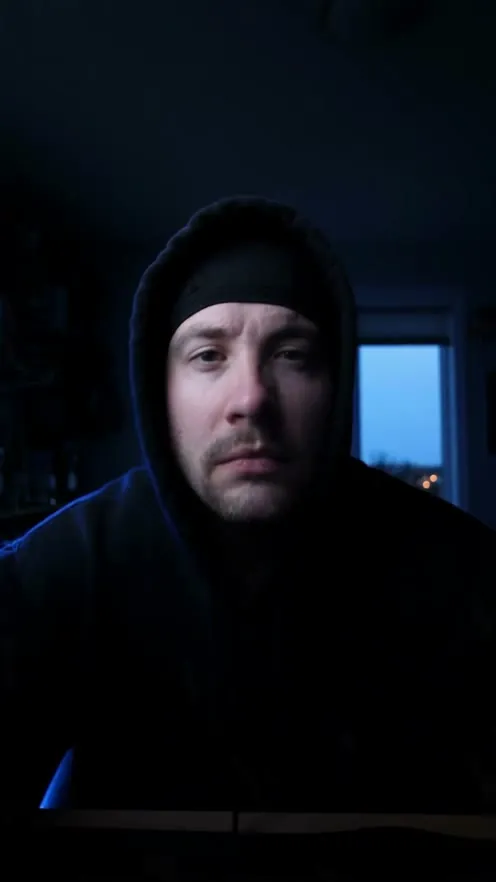
- సెల్ఫీ కూడా సరిపోతుంది: ఒక్క పెద్దవారు, ఛాతీ పైభాగం, కెమెరా వైపు, సన్గ్లాసెస్ లేకుండా.
వాడవద్దు
- పక్క ముఖాలు, మూసిన కళ్లు లేదా చేయి, బొమ్మ, రెండో జంతువు ముఖాన్ని కప్పే ఫోటోలు వాడవద్దు.
- చీకటి, అస్పష్టమైన లేదా భారీ ఫిల్టర్లున్న ఫోటోలు, వచనం లేదా స్టిక్కర్లున్న ఫోటోలు వాడవద్దు.
Shaking Head ట్రెండ్ అంటే ఏమిటి?
Shaking Head ట్రెండ్ను హెడ్ షేక్ మీమ్ అని కూడా అంటారు; ఇది అక్టోబర్ 2026 TikTok మీమ్. సాధారణంగా దూడ లేదా పిల్లి పొగరు నవ్వుతో కళ్లు గట్టిగా మూసుకుని నెమ్మదిగా తల ఊపి, ఆపై ఒక్కసారిగా కళ్లు పెద్దవి చేసి నాలుక చివరను బయటపెడుతుంది.
జోక్ క్యాప్షన్లో ఉంటుంది, సాధారణంగా పాఠశాలలో జరిగిన చిక్కు; ఉదాహరణకు ‘పరీక్షలో నా ల్యాప్టాప్ ఆఫ్ చేసిన తర్వాత క్లాస్మేట్ నన్ను చూసే తీరు’. ఈ జనరేటర్ మీ జంతువుకు అదే ముఖభావం ఇస్తుంది; పోస్ట్ చేసేటప్పుడు మీ క్యాప్షన్ జోడించండి.
Shaking Head ట్రెండ్ ఎలా ప్రసిద్ధమైంది
- 14 ఆగస్టు 2026
కళ్లు మూసుకుని నవ్వుతూ తల ఊపే గేదె దూడ AI వీడియో #headshake కింద పోస్ట్ అవుతుంది.
- 19 అక్టోబర్ 2026
పాఠశాల పరీక్ష జోక్తో దూడ వీడియో ప్రసిద్ధమై ఒక వారంలో 4.6 మిలియన్ వీక్షణలు దాటుతుంది.
- 20 అక్టోబర్ 2026
అదే జోక్తో చారలు, తెల్లని మచ్చలున్న పిల్లి వీడియోకు 2.2 మిలియన్ వీక్షణలు వస్తాయి.
- 21 అక్టోబర్ 2026
తర్వాత నారింజరంగు పిల్లులు, దూడల వెర్షన్లు వస్తాయి; పలువి 600,000 వీక్షణలు దాటుతాయి.
- 24 అక్టోబర్ 2026
మీ పెంపుడు జంతువు ఫోటోను యానిమేట్ చేసే టెంప్లేట్లు, ట్యుటోరియల్లు TikTok అంతటా వ్యాపిస్తాయి.
3 దశల్లో ఎలా చేయాలి
మీ పెంపుడు జంతువు ఫోటో అప్లోడ్ చేయండి
రెండు కళ్లు తెరిచి కెమెరా వైపు చూస్తున్న ఒక్క పిల్లి లేదా కుక్క స్పష్టమైన ఫోటో ఎంచుకోండి.
వీడియో రూపొందించు నొక్కండి
ఈ ట్రెండ్కు దృశ్యం, కెమెరా కదలిక, శైలి ఇప్పటికే సెట్ అయ్యాయి. మీరు ఫోటోను మాత్రమే జోడించాలి.
డౌన్లోడ్ చేసి పోస్ట్ చేయండి
మీ 5-సెకన్ల 9:16 720p వీడియో TikTok, Instagram Reels, YouTube Shortsలో పోస్ట్ చేయడానికి సిద్ధంగా ఉంది.
Shaking Head ట్రెండ్ వీడియో ప్రాంప్ట్
రిఫరెన్స్ ఫోటోను అంగీకరించే ఏ AI వీడియో జనరేటర్లోనైనా ఈ ప్రాంప్ట్ను కాపీ చేసి పేస్ట్ చేయండి.
Turn the uploaded photo into a 5 to 10 second vertical 9:16 clip of the Shaking Head trend, photorealistic, like a real phone video. Star: exactly one recognizable subject from the uploaded image, whether an animal or a human. Retain the animal's breed and coat pattern, or the person's facial identity, hairstyle and complexion, as applicable; it must stay recognizable while its eyes are shut. Framing: tight close-up at the subject's eye level, head and upper chest filling the frame, face in the upper middle and turned to the lens. The phone does not move: no cuts, no zoom, no pan. Keep the room and light from the photo. Beat 1: eyes squeezed tightly closed, a smug closed-lip grin with chubby cheeks, while the head turns slowly from side to side, like someone who knows exactly what they did. Beat 2: eyes snap open, huge and round, locked on the lens; the mouth drops open a little and the tongue tip sticks out, head still wobbling softly. Timing: divide each cycle into equal halves. Perform Beat 1 during the first half, trigger Beat 2 sharply at the midpoint, and sustain the revealed expression for the remaining half. Use one cycle for a five-second output; for longer outputs, repeat the cycle once. Only the head and face move; the body stays put. Keep the sideways head motion gentle and fluid, but make the change from the smug expression to the startled stare instantaneous. Audio: a light, bouncy instrumental loop. No barking, meowing or speech. Avoid: additional subjects, visible hands, clothes or accessories that are not in the photo, morphing, text, captions, stickers, logos, watermark. Leave space at the top for your own caption.
తరచుగా అడిగే ప్రశ్నలు
మరిన్ని AI ట్రెండ్లు